Roblox
- 4.2
- Rating
- 1.00B
- Installs
- Free
- Price

 Analysis by App-foxy
I approached Roblox as a first-time player rather than assuming I already knew how its huge game library worked. That distinction matters. This is not one adventure with a single story, map, or winning strategy. It is a game platform from Roblox Corporation where I can move between experiences made in many different styles, from relaxed social spaces to obstacle courses, role-playing worlds, competitive challenges, and more. The variety is its biggest attraction, but it also means the first few minutes can feel less focused than a traditional Android or iOS game.
The app is free to install, which makes trying it easy, and it is rated Teen. It supports devices running Android 8.0 or later, while the iOS version follows its own device requirements. I found the best way to judge it was not by asking whether one particular game was perfect, but whether the whole discovery system helped me find something I wanted to return to. For me, the answer was yes, although only after I stopped treating the opening screen like a normal game menu.
What to expect when you open it
The first important expectation is that Roblox changes depending on the experience you choose. One title may be slow and social, another may demand quick reactions, and a third may mainly reward exploring or collecting. The controls, objectives, visual quality, and pace can vary considerably. That freedom is exciting, but it also explains why a new player may leave the first experience thinking the entire app is confusing or uninteresting.
In-Depth Coverage of Roblox
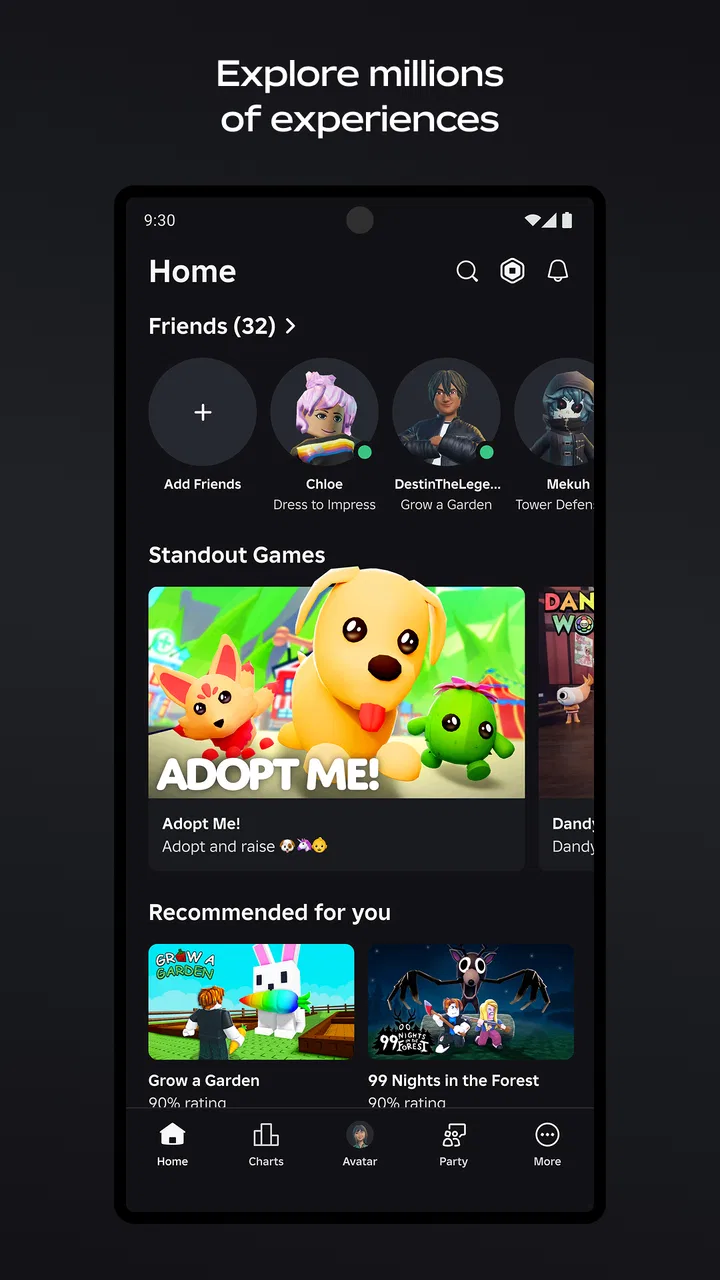
I would describe it as a discovery service wrapped around playable worlds. The central skill is not only learning movement or completing a level; it is learning how to recognize which experiences suit you. I had better results when I gave a new game a few minutes to reveal its basic loop, then moved on if the instructions, controls, or atmosphere did not click. Staying in the wrong experience can make the entire platform feel worse than it is.
The scale is difficult to ignore. The app has passed one billion installs and holds a 4.2 average from around 49 million ratings, so it clearly reaches far beyond a small group of enthusiasts. That popularity is useful because there is usually plenty to browse, but popularity alone does not guarantee that every individual experience will be polished or suitable for me. I still had to judge each one on its own terms.
Compared with a conventional adventure game, Roblox offers much more variety but less consistency. A single-purpose game usually teaches one control scheme and builds toward a known style of challenge. Here, I may need to relearn the basics after changing experiences. Compared with other casual game hubs, its strength is the sense of moving through a large collection of distinct worlds rather than scrolling through nearly identical quick sessions. The trade-off is that finding the right one takes time.
Why the variety helps and hurts
The variety makes the app useful for different moods. I can look for something short when I have a spare break, then return later to a more involved world. It also gives families and friends a shared place to compare experiences, provided everyone is comfortable with the Teen content rating and with the need to make sensible choices about communication and spending.
On the other hand, the broad catalog can create decision fatigue. A long list of appealing thumbnails does not tell me whether an experience has clear instructions, a comfortable control layout, or a satisfying pace. My practical advice is to choose one experience based on a specific mood instead of opening several at once. “I want a calm place to explore” is a better starting point than “I will try whatever is most visible.”
There is also a social dimension that may not suit everyone. Some players enjoy seeing other people around them, while others want a private, tightly directed adventure. If I want a quiet campaign with a carefully written story and no need to browse between worlds, a dedicated adventure game is probably a better choice. Roblox works best when I enjoy experimentation and do not mind that the quality and design language change from one experience to another.
Setting up a useful first session
After installing the app, I recommend taking a moment to create a clear starting plan rather than immediately chasing the most colorful option. The first session is easier when I decide whether I want exploration, competition, role-play, or a simple challenge. This small choice reduces the feeling that I am wandering through an enormous catalog without a purpose.
Because the game is free but includes purchases ranging from $0.50 to $199.99 per item, I would treat spending as a separate decision from installing. I did not need to buy anything to understand the basic appeal. New players should avoid assuming that a prompt or attractive item is required to begin. If I were setting this up on a shared device, I would also make sure the person using it understands that optional purchases can add up quickly, especially when several experiences use their own progression or cosmetic incentives.
The Teen rating is another setup consideration, not a detail to skip. Roblox contains many different kinds of user-created experiences, so the label should guide expectations rather than suggest that every moment feels the same. I would discuss suitable play choices with a younger player, keep an eye on how they use social features, and explain that leaving an uncomfortable experience is always a reasonable response. The app is more enjoyable when exploration has boundaries.
My first technical habit was to learn the basic camera and movement behavior before judging any experience. On a phone, touch controls can occupy part of the screen, and an unfamiliar control arrangement may make the opening challenge feel harder than it really is. I found it helpful to pause, look for the experience’s own guidance, and test movement in a safe area. Rushing into a timed section before understanding the camera is an avoidable source of frustration.
You May Also Like

 AccuWeather: Weather Radar
AccuWeather Review: A Quick, Clear Forecast for Everyday Decisions
For everyday plans, the best forecast is the one you can understand quickly. AccuWeather makes rain timing, radar, and local conditions easy to act on, with a few trade-offs.

 Hill Climb Racing
Why Hill Climb Racing Still Turns Crashes Into One More Run
A tiny car, a bumpy hill and one more upgrade: Hill Climb Racing keeps resurfacing because its simple chaos makes every near-miss feel personal.

 AliExpress - Shopping App
AliExpress Makes Global Shopping Feel Personal, but Shoppers Bear the Risk
AliExpress turns a global marketplace into a pocket-sized discovery engine. Its reach is useful, its shopping loop compelling, and its trade-offs easy to miss.

 Lords Mobile: Kingdom Wars
Lords Mobile Is a Kingdom-Building Routine, Not a Quick Match
A case-by-case verdict on the building, battles, device demands, and social commitments that make Lords Mobile rewarding for some players and exhausting for others.

 PDF Scanner app - TapScanner
TapScanner Makes Paperwork Easier to Capture, Check, and Share
TapScanner makes scanning with a phone feel less like a rescue operation and more like a dependable step in getting work done. Its capture tools are useful, though not flawless.

 Block Blast!
Block Blast! Shows How Much a Puzzle Game Can Leave Out
A quiet grid game shows why puzzle players increasingly value instant clarity, repeatable skill and low-pressure play—and where the genre still needs to catch up.
More From Our News Desk
View All News


Choosing a first experience without getting lost
For a first meaningful session, I would pick an experience with an obvious objective. A clear task gives me something to measure: reach a location, finish a short challenge, learn a basic interaction, or complete an introductory activity. An open-ended social space can be enjoyable, but it may not show a newcomer what makes the platform engaging because there is no immediate definition of progress.
I also learned not to judge the entire app from one loading screen or one awkward tutorial. Some experiences feel immediately understandable, while others assume I already know where to go. If the first one gives me no useful direction after a fair attempt, switching is not failure; it is part of using Roblox properly. The platform rewards selecting well as much as it rewards playing well.
A useful personal rule is to remember why I opened the app. If I wanted a quick challenge, I should not spend the whole session customizing or browsing. If I wanted to socialize, I should not choose a solitary obstacle course and complain that it feels empty. Matching the experience to the available time made the app feel far more manageable.
Finding the first successful action
My first real success came when I stopped trying to understand the whole platform and focused on one small completed objective. That could mean finishing an early section, reaching a marked destination, or learning the interaction needed to move forward. The exact task depends on the experience, but the method is consistent: identify the immediate goal, test one control at a time, and ignore advanced systems until the basic loop makes sense.
This approach is especially helpful because many experiences introduce several distractions at once. There may be menus, other players, decorative areas, collectibles, or prompts competing for attention. I found that progress became clearer when I asked, “What would count as completion in the next few minutes?” Once I answered that, the rest of the interface became less intimidating.
One non-obvious advantage is that changing experiences can be used as a learning tool. If one game has awkward controls, another may teach me how movement and camera behavior usually work in the platform’s mobile environment. I could then return to the first experience with better expectations. In other words, browsing is not only about finding entertainment; it can help me understand how different creators build on the same broad framework.
I would also take screenshots or remember the name of an experience I genuinely enjoyed rather than trusting that I will find it again by chance. A large catalog encourages constant discovery, but a personal shortlist creates continuity. The best routine for me was to keep a small number of favorites in mind and explore only when I actually wanted something new.
How to handle controls and uneven tutorials
Mobile play is convenient, but it is not automatically the best control method for every experience. Fast movement, precision jumps, or crowded interfaces can feel more demanding on a touchscreen than on a larger display or with physical controls. I would not interpret every missed action as a lack of skill. Sometimes the design simply favors a different input method or requires more practice than I expected.
When a tutorial is unclear, I look for environmental clues instead of tapping randomly. Doors, highlighted objects, visible paths, and repeated visual patterns often communicate the next step more effectively than a paragraph of instructions. I also avoid spending resources or making irreversible choices until I understand what they do. That cautious approach is valuable in experiences that introduce several progression systems at once.
Another practical tip is to leave an experience before frustration turns into spending. A difficult section can tempt me to look for a shortcut, but the fact that an item is available does not mean it is necessary for a satisfying session. Taking a break, trying another experience, or returning with a clearer plan usually gives me a better sense of whether the problem is difficulty, unclear design, or simply a poor match for my preferences.
Common confusion new players should expect
The most common confusion is assuming that every part of Roblox follows the same rules. It does not. An interaction that works in one experience may be irrelevant in another, and a familiar-looking button may have a different purpose. I learned to treat each new world as a small introduction rather than carrying too many assumptions from the previous one.
Another source of uncertainty is the difference between cosmetic appeal and actual gameplay value. Bright visuals, busy menus, and prominent offers can make an experience look important, but they do not necessarily indicate the best route for a beginner. I now spend time identifying the free, basic loop first. Only after I know whether I enjoy the experience do I consider whether any optional item would improve my time there.
Players may also wonder whether the app is suitable for short sessions. In my experience, yes, but the result depends on the experience selected. Some are easy to sample, while others become enjoyable only after learning their rules. For a ten-minute break, I would choose something with an immediate objective. For a longer session, I can afford to explore a slower world and understand its systems.
People often ask whether they need to be highly competitive to enjoy it. I do not think so. Competition is only one part of the catalog. I had more fun when I treated the app as a collection of different play styles and chose experiences that rewarded curiosity, cooperation, or simple experimentation. Someone who dislikes public or social spaces can still find appealing options, but they should be selective rather than assuming the front page represents everything.
The Teen rating also means I would not hand the app to a child without discussion. The broad range of user-created content and social interaction makes active judgment important. For a parent, the relevant question is not simply whether the download is free; it is whether the child understands what they are entering, who they may encounter, and why optional purchases deserve caution. That conversation is part of a responsible setup.
Taking the next step beyond the first session
Once I found an experience I liked, I focused on learning its specific rhythm instead of immediately returning to the catalog. This is where Roblox becomes more rewarding. A first visit tells me whether the premise is appealing; a second visit shows whether the controls, progression, and community around that experience are worth my time. I recommend giving a promising choice a fair second look before deciding, while still avoiding the idea that every title deserves a long commitment.
A useful advanced habit is to separate discovery time from play time. I might spend a few minutes browsing when I am curious, but once I choose something, I stop scrolling and concentrate on it. This prevents the catalog from interrupting every attempt to build skill. It also makes it easier to notice whether I am genuinely improving or merely jumping between attractive introductions.
I would also keep expectations realistic about consistency. Roblox Corporation provides the platform, but individual experiences can feel very different because they are created with different goals and levels of refinement. That is both the reason the app has such a broad identity and the reason I cannot promise a uniform quality level. If I need one carefully controlled adventure from beginning to end, I would choose a conventional standalone title instead.
The app is a strong fit for players who like variety, social discovery, and the feeling of finding an unexpected favorite. It is less suitable for someone who wants a single polished campaign, dislikes browsing, or becomes frustrated when controls and objectives change between sessions. I would also skip it on a device where touchscreen precision makes the kinds of experiences I enjoy uncomfortable, unless I was willing to be selective about what I played.
After trying it, my honest recommendation is to approach Roblox as a library rather than a single game. Install it because you want access to many different adventures, not because one universal experience will immediately explain everything. Start with a clear objective, learn the basic controls patiently, avoid treating optional purchases as requirements, and leave quickly when a world is not a good match.
That first meaningful success is usually closer than it appears: choose one understandable experience, complete its opening task, and use what you learned to decide whether to continue. With that mindset, the enormous catalog feels less like noise and more like a set of doors. The free entry point is genuinely inviting, the range is impressive, and the main cost is the time needed to discover what suits you. For me, the best reason to try it is the freedom to keep searching until one world feels worth returning to.
FAQs for Roblox
01What is Roblox and how does it work?
Roblox is an online platform that allows users to create, share, and play games made by other users. It offers a wide range of user-generated games across various genres, providing a unique social gaming experience. Players can customize their avatars, interact with friends, and explore millions of virtual worlds.
02Is Roblox safe for children?
Roblox includes safety features such as chat filters and parental controls to help protect younger users. Parents can restrict chats, manage friend requests, and monitor account activity. However, it's essential for parents to stay informed and involved to ensure a safe gaming environment for their children.
03Can I play Roblox on different devices?
Yes, Roblox is available on various platforms including Android, iOS, Windows, macOS, and Xbox One. This cross-platform availability allows users to enjoy games on multiple devices, offering flexibility and convenience. Players can seamlessly switch between devices without losing progress.
04How does in-game purchasing work in Roblox?
Roblox uses a virtual currency called Robux, which can be purchased with real money. Players use Robux to buy in-game items, avatar accessories, and game passes. Users should be aware of spending limits and ensure secure purchasing methods to avoid unauthorized transactions.
05What are the system requirements for running Roblox?
Roblox is designed to run on a variety of devices, but minimum system requirements for a smooth experience include a modern processor, at least 4GB of RAM, and a stable internet connection. Mobile devices should be updated to the latest OS version to ensure compatibility and performance.
Pros
- Vast user-generated content to explore.
- Cross-platform play enhances connectivity.
- Regular updates keep experience fresh.
- Creative tools for developing games.
- Large community fosters social interaction.
Cons
- In-app purchases can be costly.
- Occasional server stability issues.
- Graphics can feel outdated.
- Some games may lack moderation.
- Privacy settings can be confusing.

Roblox
Gallery